Connect your Discord server to a feature board where members log in with Discord and their votes are weighted by role. Here is how it works.
Most servers already have the workaround: a #suggestions channel. Ideas go in, a bot adds ⬆️ and ⬇️, and for a while it works. Then the good ideas scroll away with the chat, the same request gets posted a fifth time because nobody can find the first one, and a drive-by upvote counts exactly as much as a vote from the supporter who has been there since day one.
Featurevote's Discord integration keeps what the channel gets right — members suggesting things, everyone voting — and moves it to a standing board. Connect your server, weight the roles that matter, and, if you want, flip one more switch so only members take part.
Votes weighted by the roles you pick
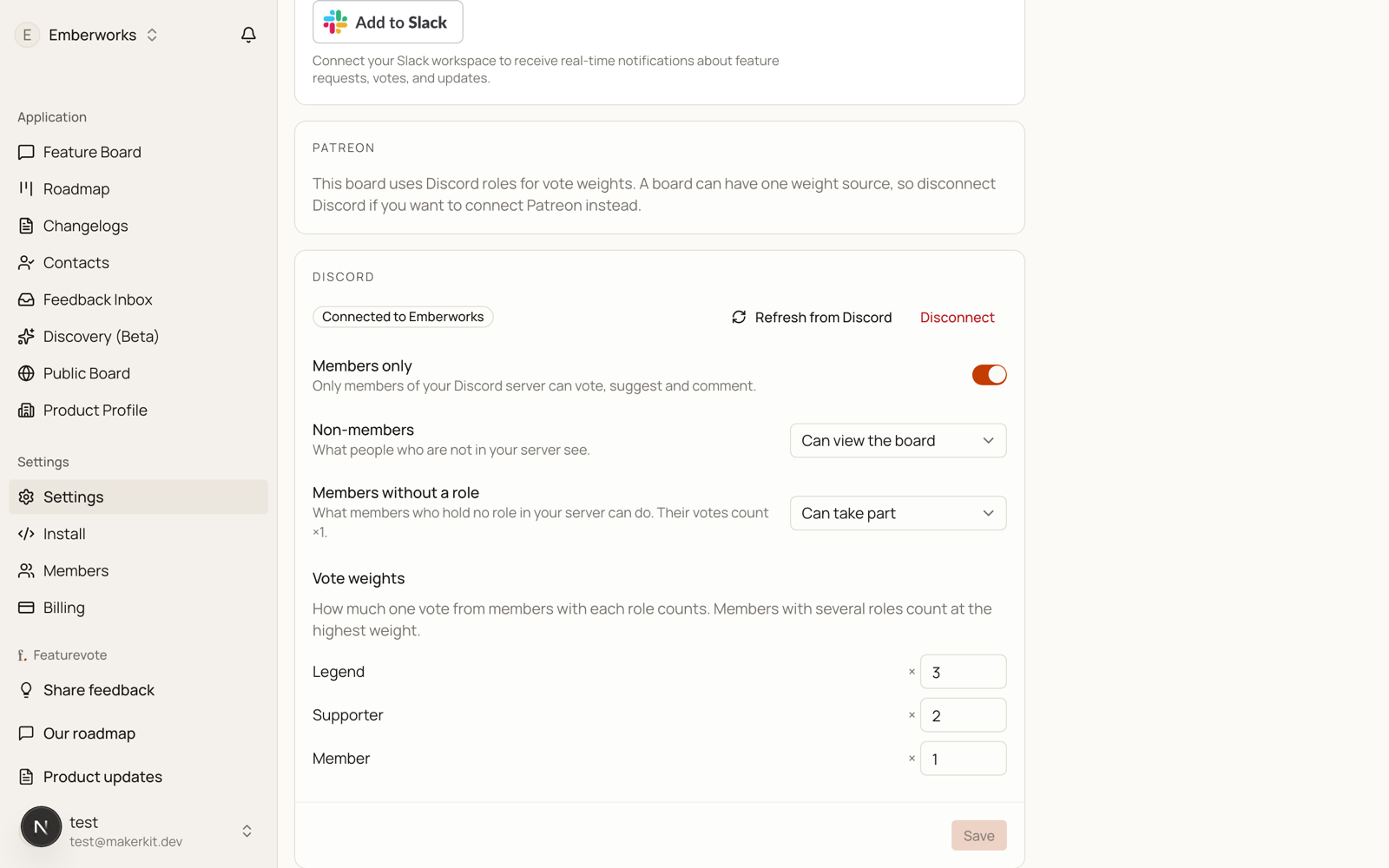
Each role gets a multiplier you choose, from ×1 to ×100. Every role starts at ×1 — you raise the ones that matter, so a Supporter vote can count double and a Legend vote triple. A member holding several weighted roles counts at the highest one, and only roles weighted above ×1 ever appear on the board. The rest of your role structure stays private.
The board shows both numbers — the weighted points and the plain voter count — so nobody has to guess why a request with three voters ranks above one with four. And a weight change applies to future votes only. Votes already cast keep the weight they were cast at.
Members log in with Discord
No new account, no password, no email form. A member clicks Log in with Discord, approves once, and is in. The board greets them with one quiet line naming their weighted role and what their vote counts.
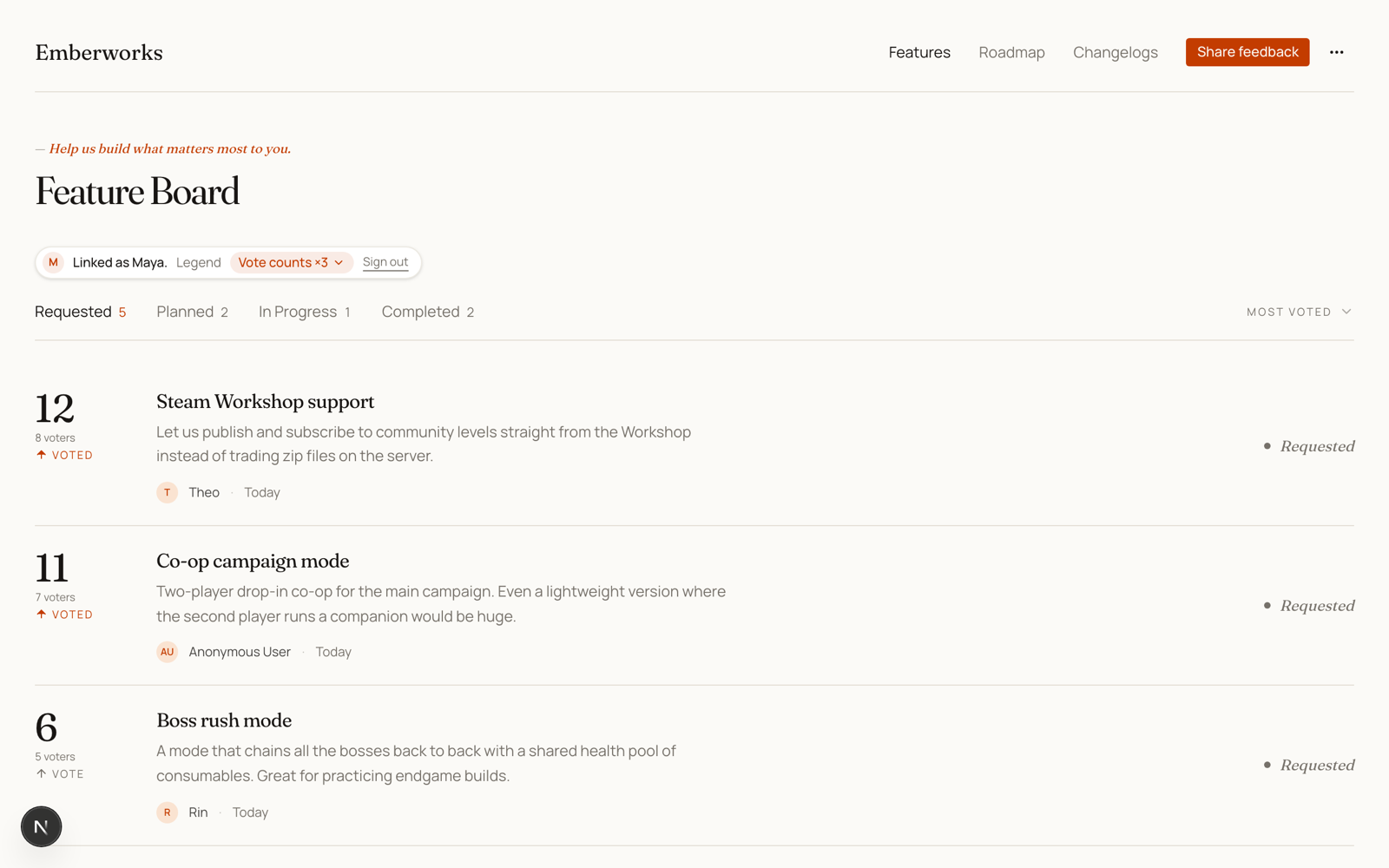
On a members-only board, requests and comments carry the member's Discord name — so you can see at a glance what your longest-standing supporters are asking for.
You decide who else gets in
Weighting and gating are separate switches. Leave the board open and members simply vote with their weight next to everyone else. Or turn on Members only, so voting, suggesting and commenting need a Discord login — outsiders can still read the board, or you can hide it from them entirely and make the board itself a perk of the server.
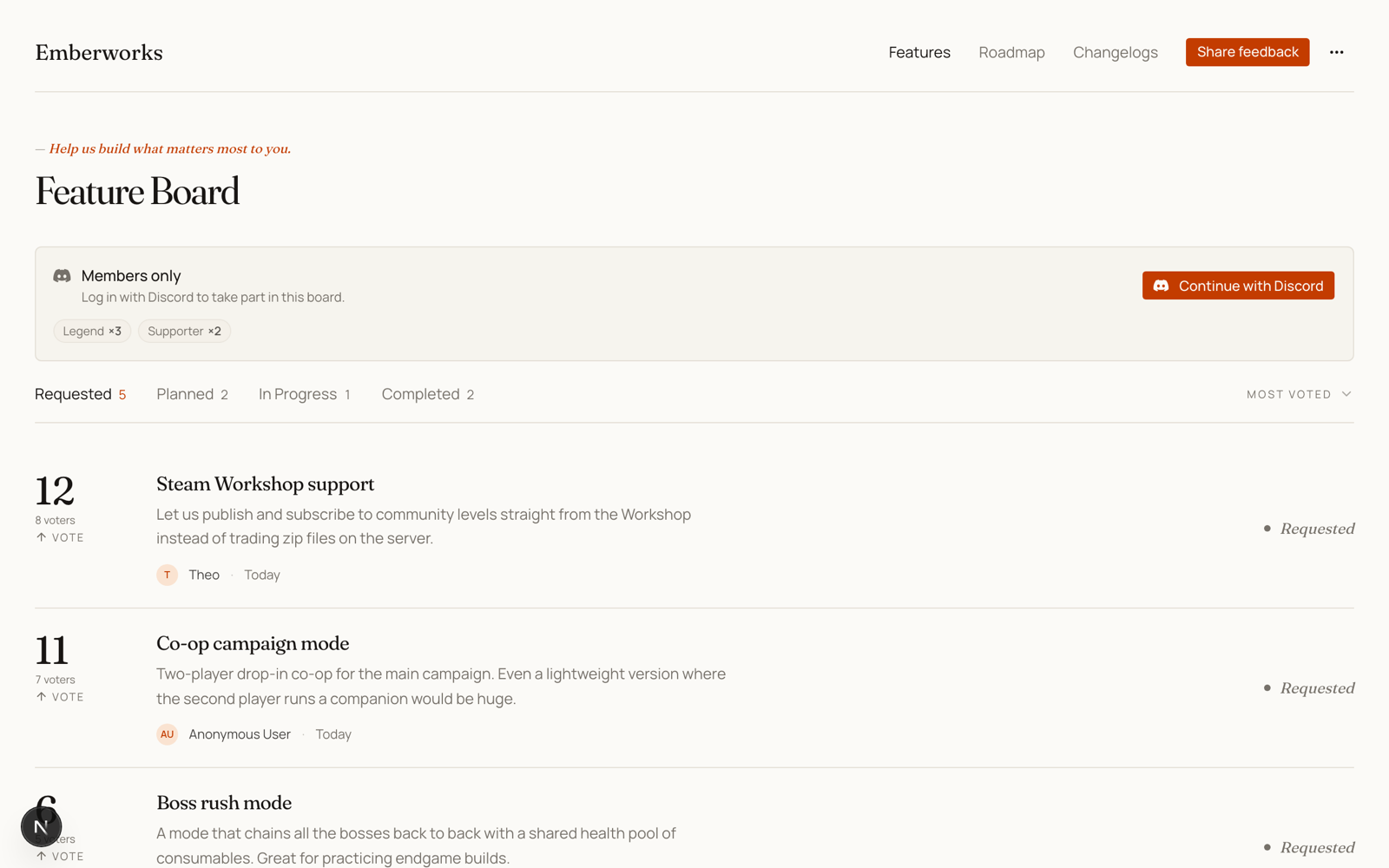
Members with no role are your call too: let them take part at ×1, or treat them like non-members and reserve the board for role holders.
What does the bot actually see?
The bot joins your server with no permissions at all. It reads the server's name, icon and role list. Featurevote never reads your channels. It posts in Discord only when someone uses one of its commands, and when you publish a changelog to a channel you picked. It reads a message only when someone runs Add to FeatureVote on it. A member's roles are read when they log in on the board; on a members-only board a login lasts 30 days, which caps how stale a gated board can get. You can disconnect at any time, and votes already cast keep their weight.
It works with whatever runs your memberships
If Patreon, Ko-fi, YouTube memberships, or a community bot already assigns supporter roles in your server, you are done: weight those roles, and every one of those platforms counts for more through one connection. The membership platform keeps the roles current on its side; the board reads them when members log in. (You can also connect Patreon to the same board. A voter linked to both counts at the higher weight.)
Update, October 2026: from inside Discord
Members can now suggest and vote without leaving the server. /featurevote add opens a short form, and the request lands on the board under their name, at their role's weight. Right-clicking a message and picking Add to FeatureVote turns an idea from the chat into a request, credited to whoever wrote it. /featurevote list shows the top five with a Vote button for each.
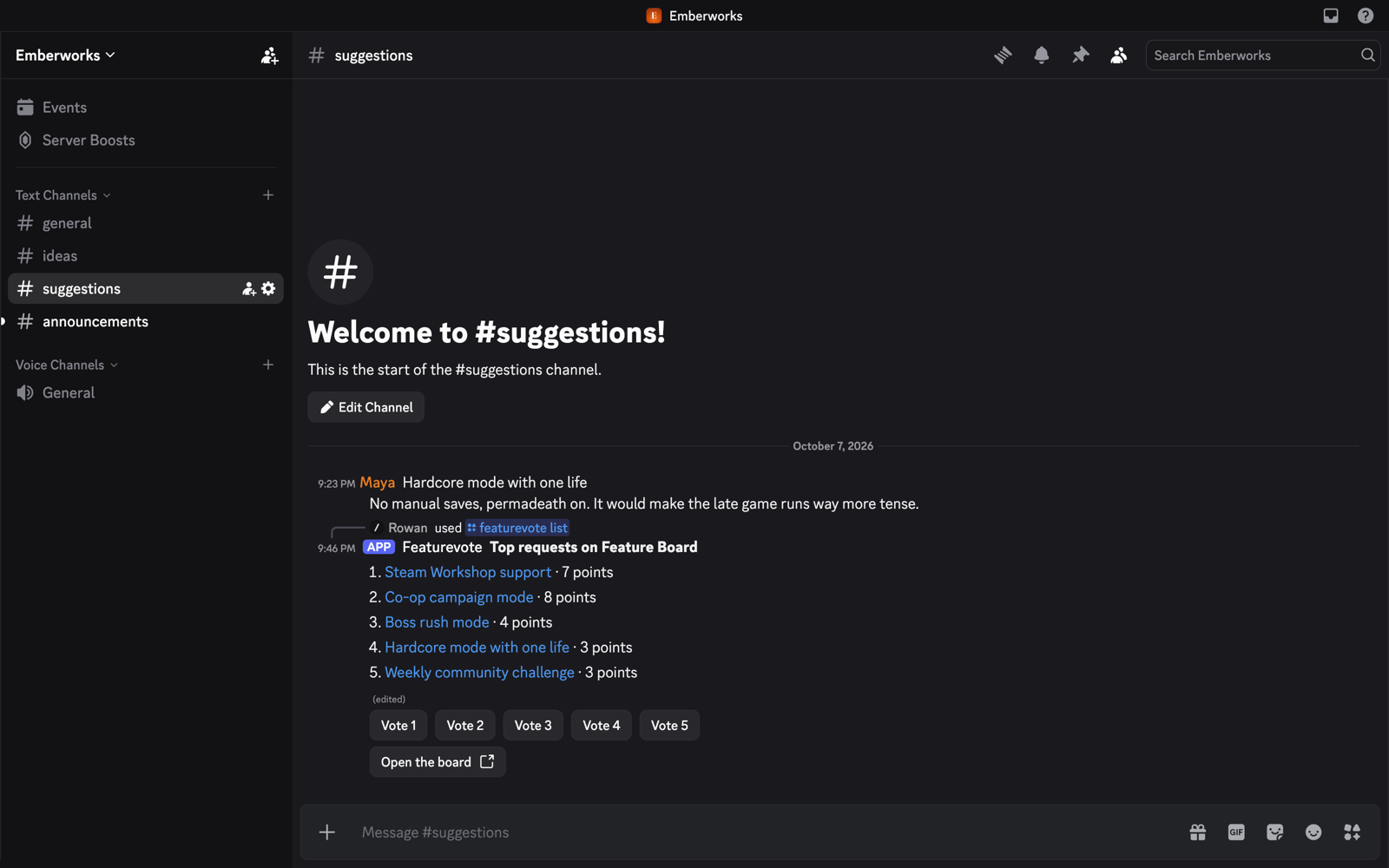
A member's request follows the same rules as a post on the board, so with Require approval on it waits for you. And when you publish a changelog, Featurevote can post it to a channel you pick.
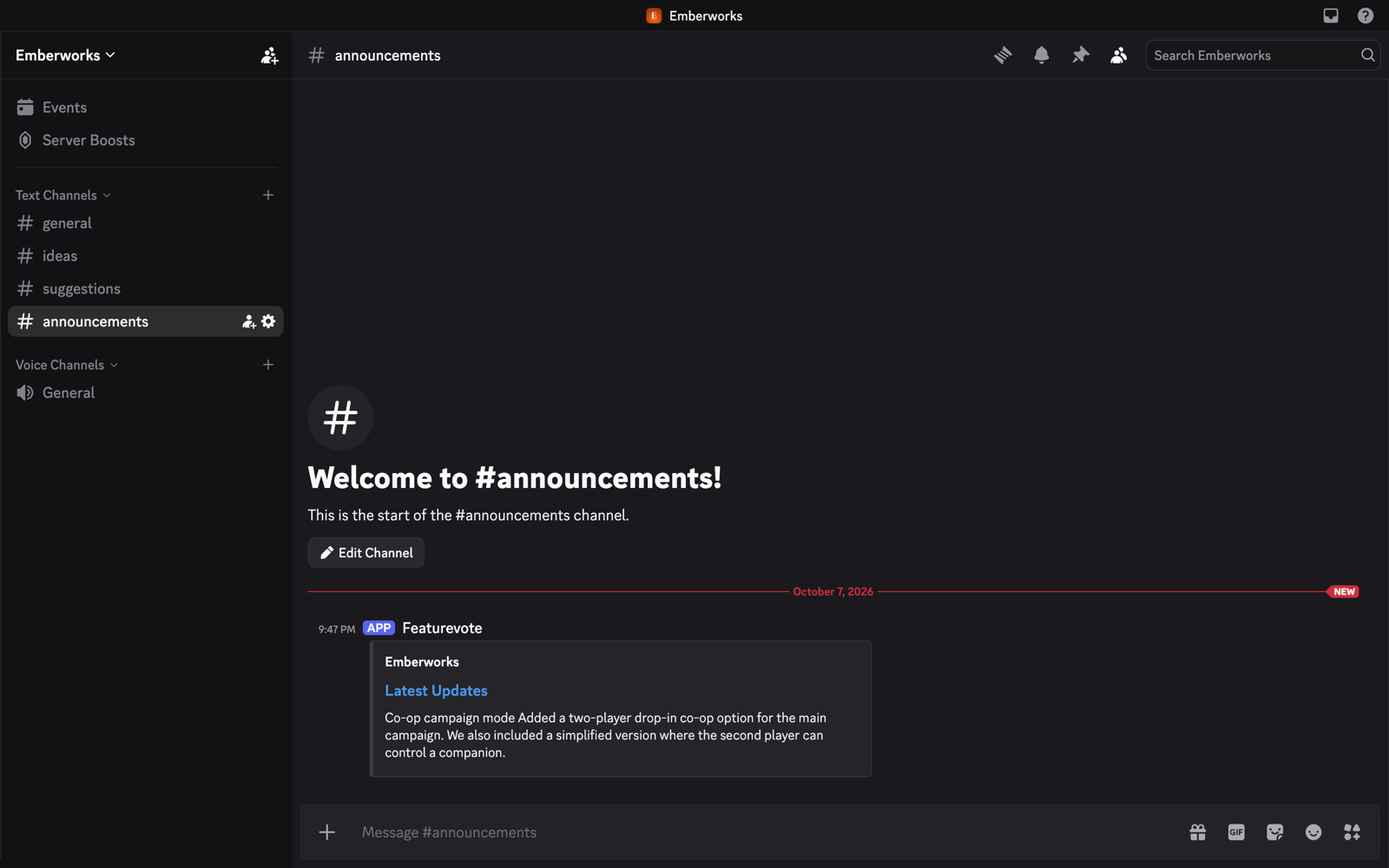
The Commands section of the docs has the details.
Why not just a suggestions channel?
For a quick either-or question, a channel poll is still the right tool, and a suggestions channel beats nothing. The difference is that a channel scrolls. The board is a standing list: members add ideas year-round, the ranking updates with every vote, the first version of an idea gets found instead of reposted, and shipped items become a changelog your server can see.
Setup takes three steps
- Connect — in Settings → Integrations, click Connect Discord and pick your server. Adding the bot needs the Manage Server permission on your Discord account.
- Set the weights — every role starts at ×1. Raise your supporter roles.
- Flip Members only if you want it, hit Save, and post the link in your server.
The integration is part of every Featurevote plan, including the free one. The details live in the Discord docs, and the feature page has a 66-second film of the commands and a 75-second demo of roles and the gate.