Product roadmap software helps you share what’s next and reduce repeat requests. Learn how to run a public roadmap the right way.
Every product team gets the same questions: “Is this on the roadmap?”, “When will you build X?”, “Any update on the feature I requested?” These questions are not a customer service problem — they are a transparency problem. Customers are asking because they do not know where to look.
A public roadmap answers these questions before they are asked. Product roadmap software makes it possible to build, maintain, and share that roadmap without it becoming a full-time job.
This guide explains what product roadmap software does, what to share publicly versus keep internal, and how to run a roadmap that builds trust without overpromising.
What Product Roadmap Software Is For
Product roadmap software has two audiences: your team and your customers.
For your team, it is a planning and communication tool. It shows what is being worked on, what is coming next, and what has been decided. This reduces internal “what are we building?” confusion and keeps stakeholders aligned.
For customers, it is a transparency tool. It shows that the product is actively improving, that their feedback has been heard, and that requests are moving through a workflow rather than disappearing into a black hole.
The connection between these two audiences is the key insight: the best roadmap software is a single source of truth that serves both, with controls for what each audience can see.
Public Roadmap vs Internal Roadmap: What to Share (and What Not to)
The most common mistake with public roadmaps is treating them like an internal planning document. Internal roadmaps can include dates, dependencies, technical complexity, and strategic context. Public roadmaps should not.
What to share publicly:
- Status labels: Which requests are planned, in progress, and recently shipped
- Request titles and descriptions: The customer-facing description of what you are building
- General priority order: The sequence in which planned items will be addressed
- Shipped items: A record of what has been delivered, linked to changelog entries
What to keep internal (or omit entirely):
- Specific dates and deadlines: Unless you are very confident, dates create expectations that create disappointment. Use statuses instead.
- Technical implementation details: These are not customer-relevant and add noise
- Strategic rationale for decisions not to build: Declined requests can be communicated simply, “We decided not to pursue this”, without exposing internal strategy
- Items that are not yet committed: If you have not decided to build something, do not put it on the roadmap. Appearing on the roadmap is a commitment signal to customers.
The cleanest public roadmaps are organized by status, not by date.
Roadmap Driven by Feature Requests
The most useful public roadmaps are not built by a product manager in a presentation but emerge from the feature request workflow.
When a customer submits a request and it accumulates enough votes, the product team reviews it, makes a decision, and assigns a status. That status is visible on the roadmap. When it is built and shipped, the changelog is updated and voters are notified.
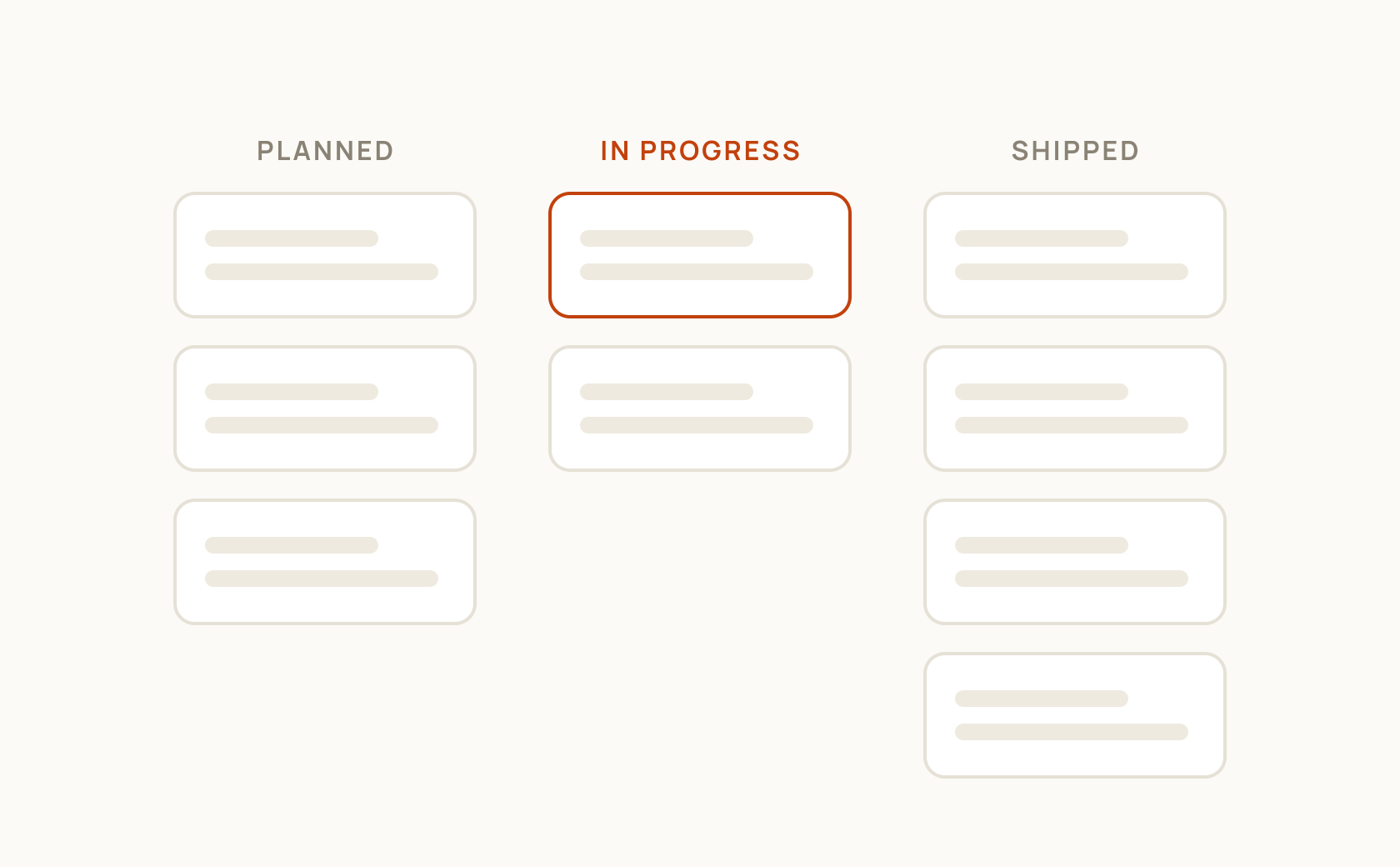
This workflow connects roadmap entries to the requests people submitted. Featurevote's public roadmap works this way, with each request's status deciding its column.
Statuses and Visibility Rules
Status labels do the heavy lifting in a roadmap. A minimal, effective set:
Requested: The team is aware of this request and has not made a decision yet. Visible on the board, but not prominently featured on the roadmap.
Planned: The team has committed to building this. Visible on the roadmap as an upcoming item.
In Progress: Actively being built. Visible on the roadmap as a current item.
Done: Visible in the “recently shipped” section, with a link to the changelog entry.
Declined: The team has decided not to build this. A brief explanation (one or two sentences) should accompany this status. These can be hidden from the public roadmap or shown with the explanation.
Visibility rules let you control which statuses appear publicly. “Under Review” might be visible on the board but not on the roadmap. “Declined” might show on the board with an explanation but not on the roadmap’s main view.
Update Cadence
Weekly is the right cadence for most teams: review new votes, update statuses on anything that has progressed, and publish any changelog entries for recent ships.
Updating the roadmap does not require a weekly planning meeting. It requires someone spending fifteen to thirty minutes checking statuses and making updates. At this cadence, the roadmap stays current without becoming a burden.
A stale roadmap is worse than no roadmap. Customers check once, see that the “In Progress” items have not changed in three months, and stop trusting the signal. Keep it current or make it narrower.
Roadmap Best Practices for SaaS Teams
Use decision language, not date language. “Planned” and “In Progress” communicate state without creating deadline commitments. If you feel pressure to add a date, ask whether the cost of missing that date (customer disappointment, loss of trust) is worth the benefit of the date being on the roadmap.
Keep the planned list short. Five to ten items in “Planned” is credible. Thirty items in “Planned” is a wish list. Customers will take everything on the list seriously. Only add items you are genuinely committed to building in the near term.
Communicate declines respectfully. “We decided not to pursue this for now” is a complete and respectful answer. It does not need a long explanation. What it must not be is silence — leaving a request in “Under Review” indefinitely is the worst outcome for trust.
Update statuses proactively. When something moves from “Planned” to “In Progress,” update it immediately. When it ships, mark it “Shipped” and publish the changelog entry the same day. Same-day updates are the ideal; weekly batch updates are acceptable.
Let the roadmap be a source of truth, not a marketing document. A roadmap that includes everything customers want to hear and nothing that will disappoint them is not a roadmap — it is a press release. The roadmap’s value comes from its accuracy, not its optimism.
Common Pitfalls (Overpromising, Too Many Items, Stale Roadmaps)
Overpromising: Adding items to the roadmap before the team has genuinely committed to building them. Customers treat “Planned” as a near-term commitment. If something stays in “Planned” for six months without movement, it damages credibility. Only mark things as planned when you mean it.
Too many items: A roadmap with fifty items in “Planned” tells customers nothing. It suggests the team has not actually prioritized. Narrow the planned list to what is genuinely upcoming, and leave the rest in “Under Review” or as an unprioritized backlog.
Stale roadmaps: A roadmap that has not been updated in months becomes a liability. Customers who see outdated statuses stop trusting the entire board. If you cannot commit to weekly updates, reduce the size of the public roadmap until you can.
Confusing the roadmap with the backlog: The backlog is internal. The roadmap is the committed subset of the backlog that is ready to be communicated externally. Do not expose everything in the backlog — customers will treat it all as committed.
Not linking the roadmap to the feedback board: If the roadmap is disconnected from customer requests, customers have no way to see that their feedback influenced what is being built. Integration between the board and the roadmap makes this connection visible and reinforces the feedback loop.
Ready to collect feedback that matters?
Start building your public roadmap and let your users shape your product.
No credit card required.